For this Game Jam I worked on a ‘Boomer’ shooter named “Bloom”. The premise involves you playing as a Plant who venture around the level and bring nature back to it, using a mechanic similar to Splatoon. Within this project, I was tasked with creating all the enemies of the game; along with a complicated Boss enemy, that would have several different attacks.
Standard Enemy Blueprint
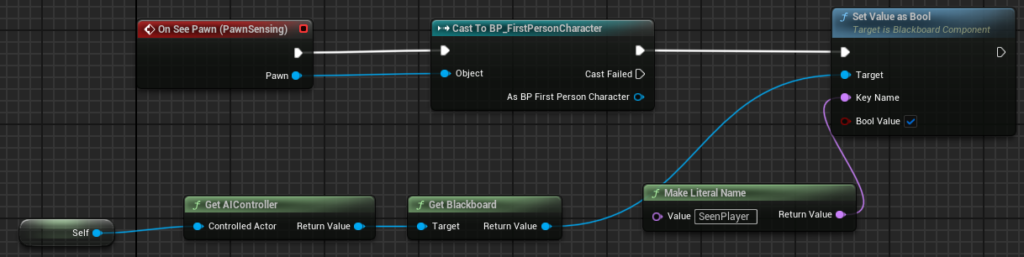
This code sets the Blackboard value “SeenPlayer” to true if the enemy sees the player.
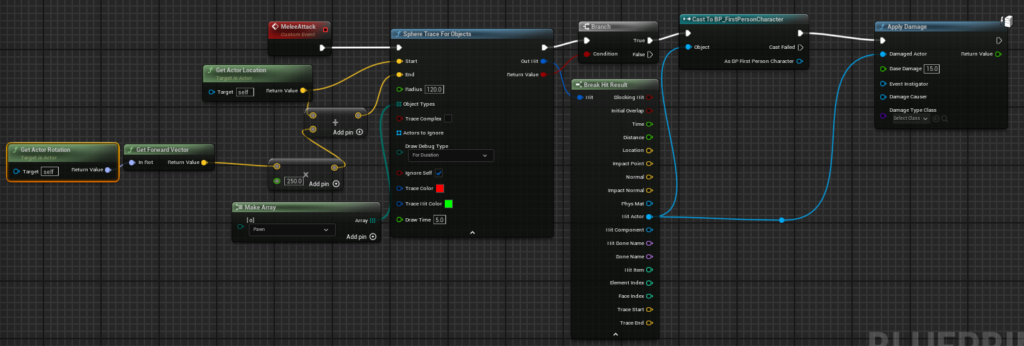
This code would sphere trace for Objects within a set range and return a hit if it traced a Pawn. Then it would check to see if the pawn is the player, and if so deal damage.
Standard Enemy Behaviour Tree
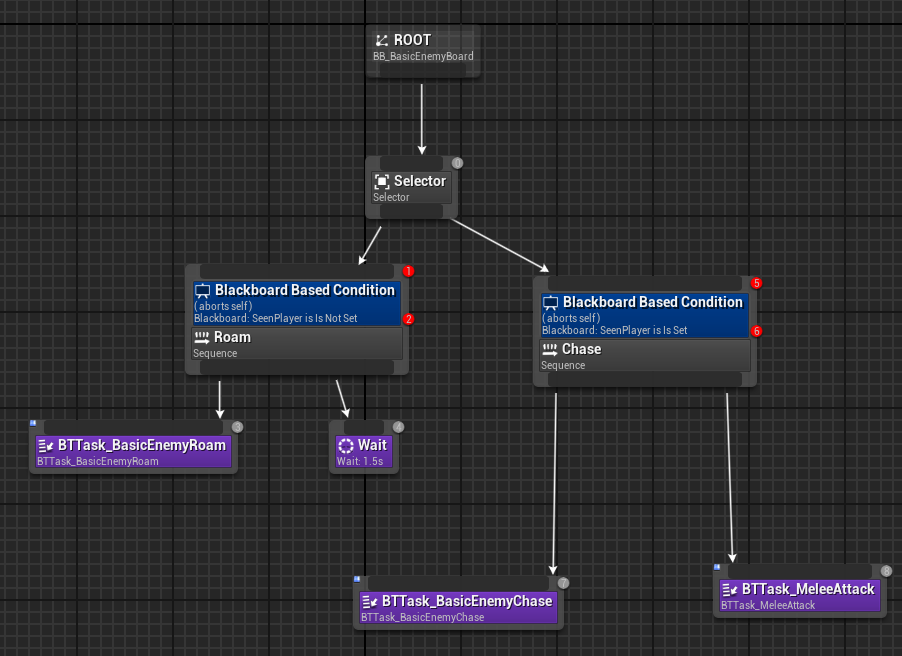
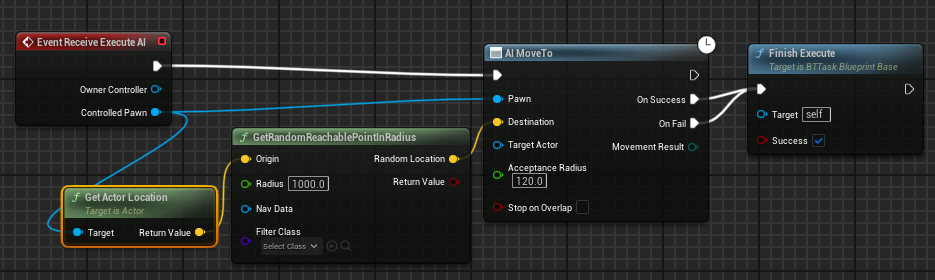
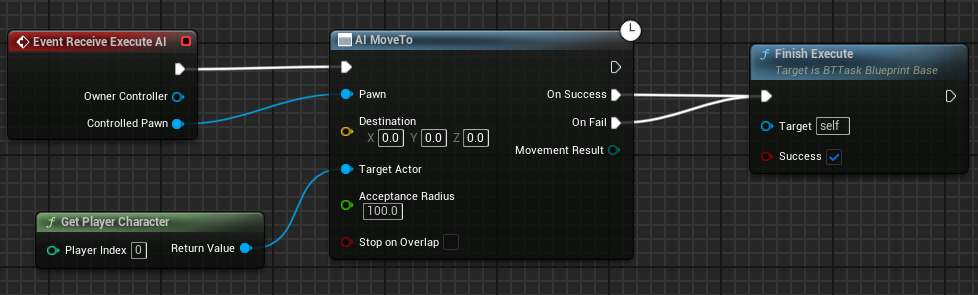

All this results in a basic enemy that roams around until they find a player and will then charge them to attack.
Projectile Enemy Blueprint
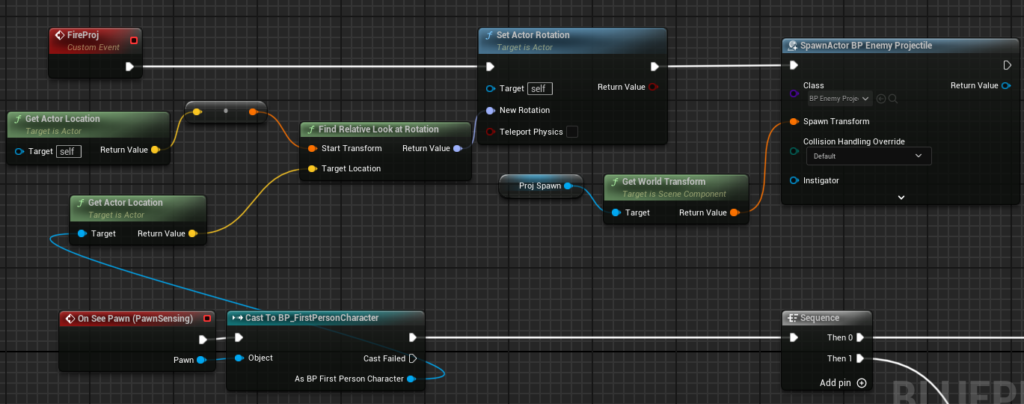
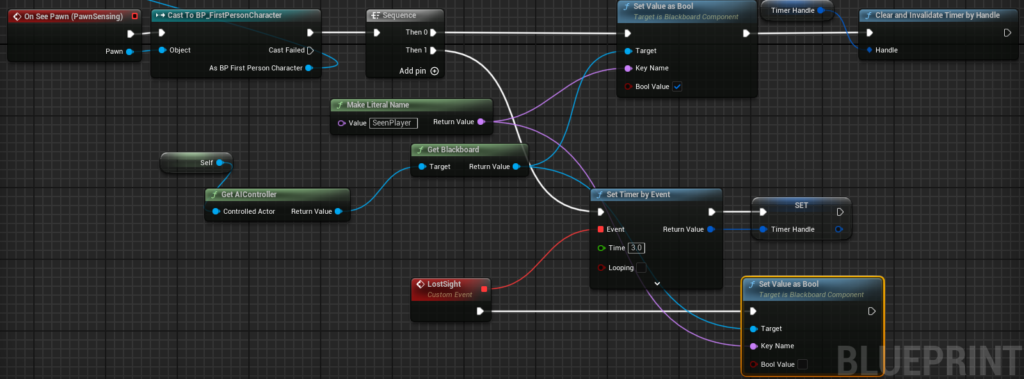
Projectile Enemy Behaviour Tree
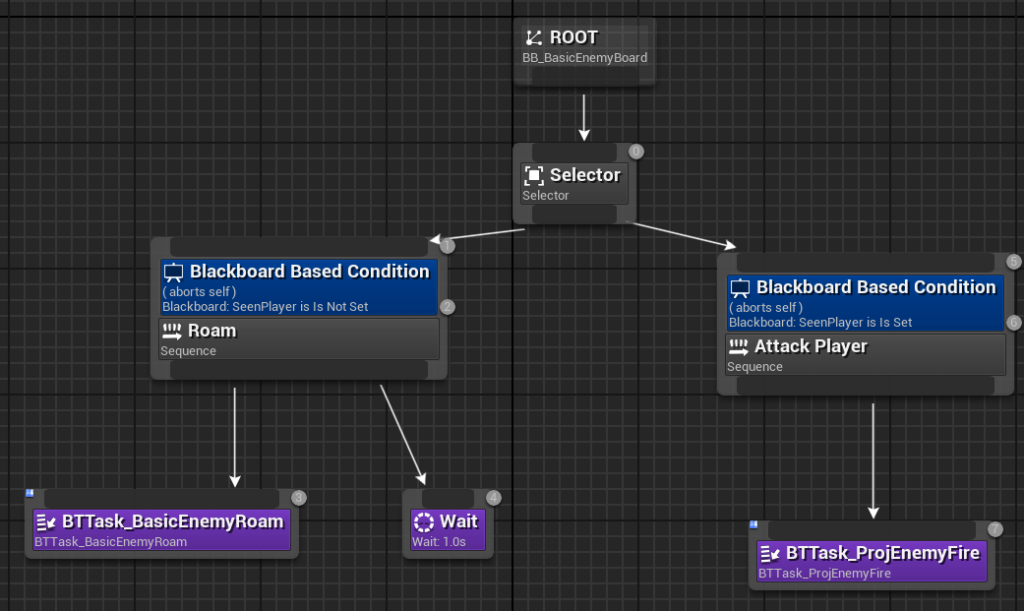

This results in an enemy that roams, and when it spots the player, will fire a projectile at them until sight is lost or they are destroyed.
Boss Blueprint (Shove)
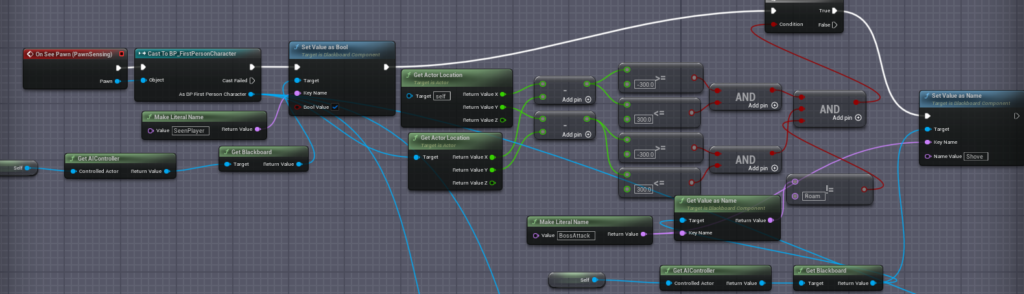
Upon sensing the player, the Boss calculates the distance between it and the player to fire off an appropriate attack. In this case, if the player is too close, then the blackboard value “BossAttack” will be updated to “Shove”.
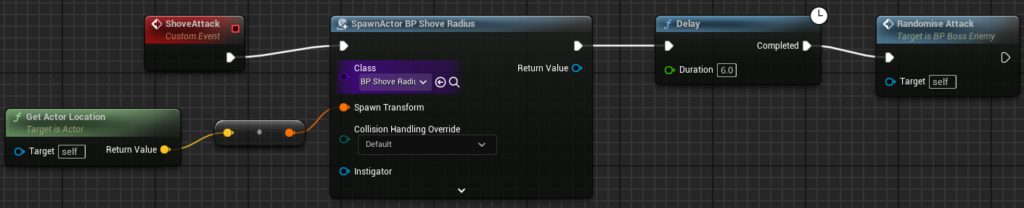
Shove Radius

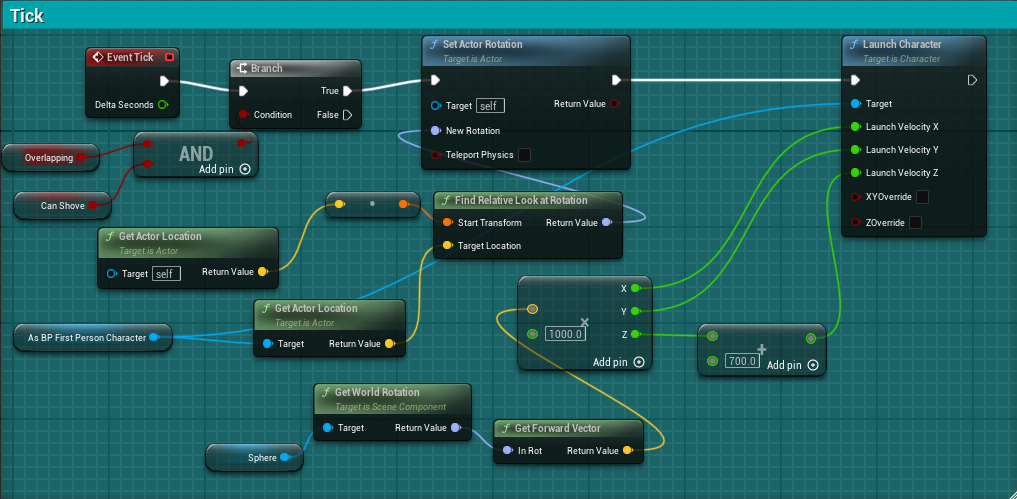
Boss Blueprint (Tick)
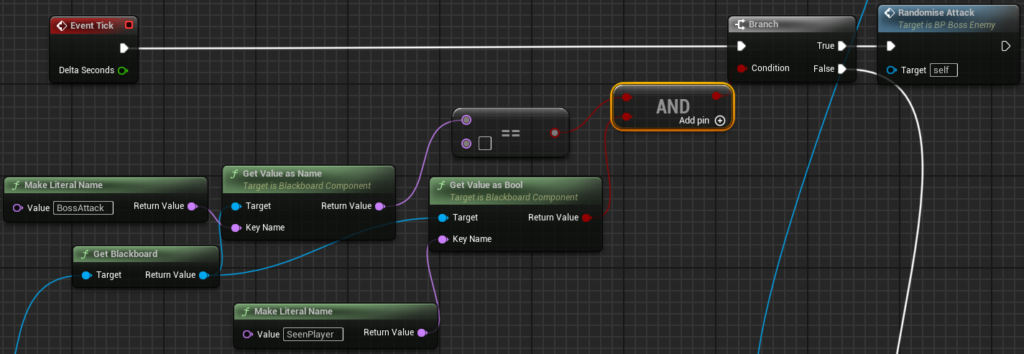
Within this first part of the tick, we can see that if “BossAttack” is blank and the player has been seen , the attack will be randomised.

Otherwise, “Charging Beam” is checked as the line trace needs to be rendered every frame to follow the player. And if the beam isn’t being charged, but they are shoving the player, then the Boss is rotated to face the player.
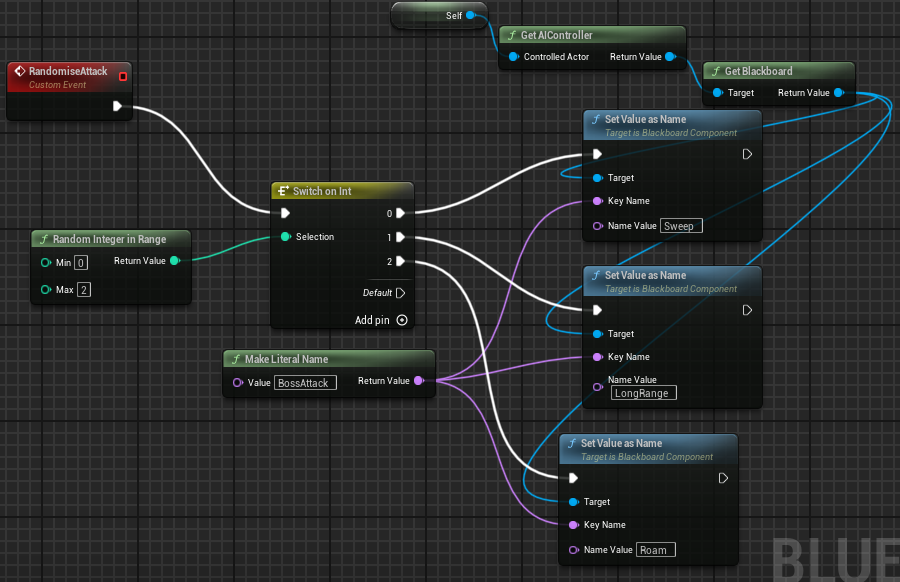
Boss Blueprint (Randomize Attack)
Boss Blueprint (Sweep Attack)
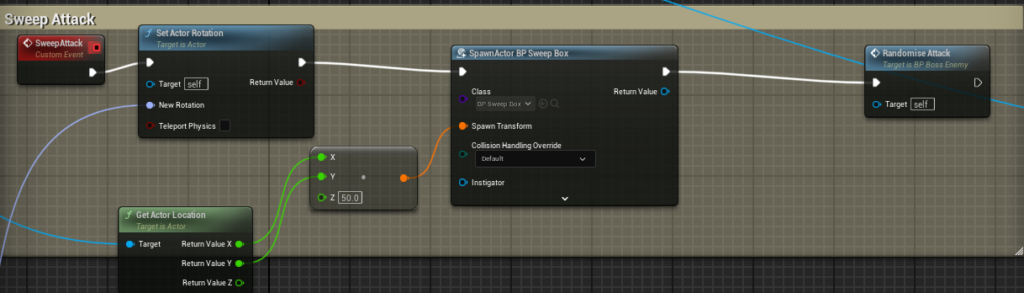
This attack, rotates the boss and spawns a “Sweep Box”, after which the attack is randomized again as the “Sweep Box” can operate independently.
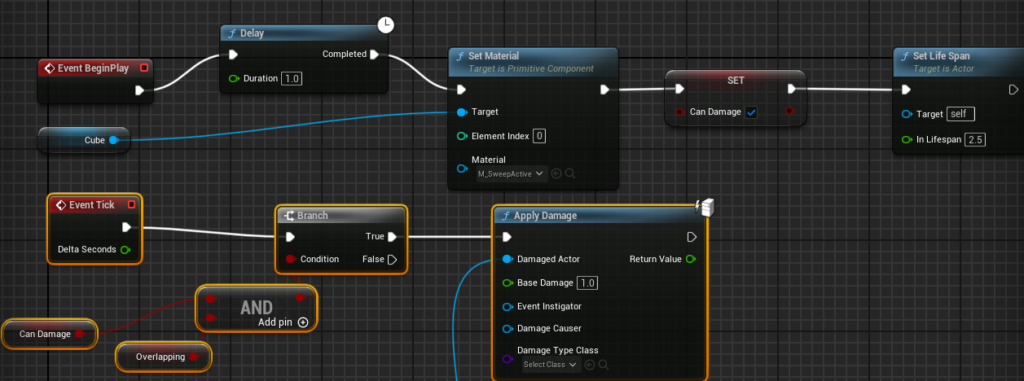
Sweep Box
Boss Blueprint (Laser)
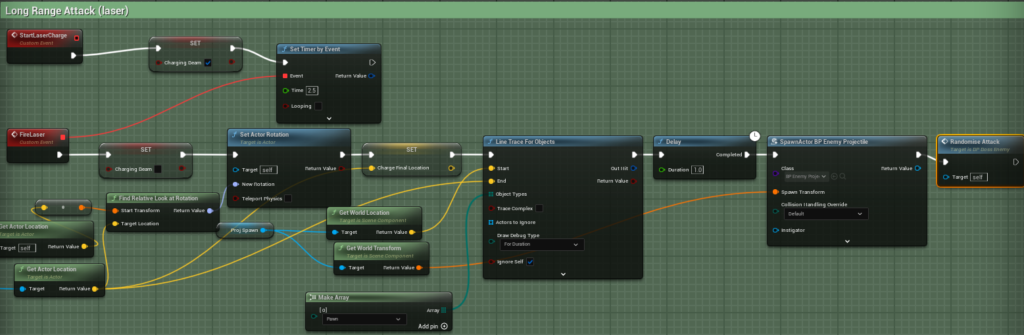
Within this code, the beam is set to start “charging” along with a timer for the charge. Once the timer is done, the boss faces the last known player location and after a delay, spawns a projectile. This gives the player an opportunity to run away during the delay.
Boss Behaviour Tree
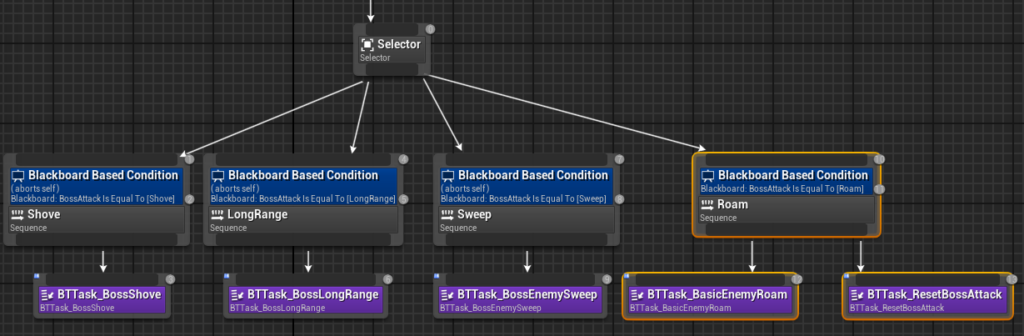

This resulted in a boss that has several randomized attacks, as well as the ability to maneuver the arena and shove the player away if they get too close.
What did I learn?
This project has been useful in teaching me the importance of communication. This was mainly because we lacked many participants, therefore some tasks, like set dressing, fell to met. If we had better communication within our team on who would be available, we could divided the work easier. However, I had a lot of fun and my implemented shove mechanic even acted as a force-field, which I didn’t originally plan on but ended up being an intriguing feature.