My aim in this session was to implement a rapidly altering score counter as well as editing the game over state to display the user’s final score.
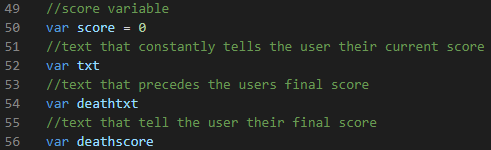
Originally, I did didn’t define the score variable as 0, which resulted in a “NaN” error (not a number). As a result, I had to alter it to be recognized as a variable.


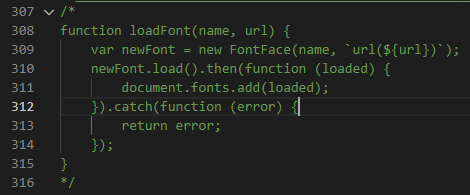
Furthermore, I also attempted to load a custom font with help from this stack overflow answer:
https://stackoverflow.com/questions/51217147/how-to-use-a-local-font-in-phaser-3
However, I was not successful and felt that having the code function correctly was more important than the design, so I indented it with the possibility of returning to fix it.
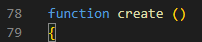

I had to add “.setDepth(2)” to the end of the constructor to ensure the text would appear over the player character so they would never obscure it. In addition, the text for this object is initially empty so it can be updated later.

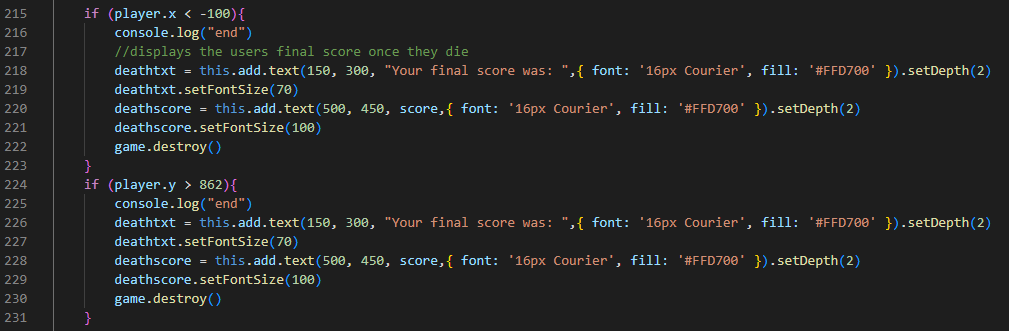
I chose to split the final score text into two lines as in testing, a larger score would result on the text going off the screen boundaries.

This code increases the score by one every frame, but had to be moved to the end of the update scene to ensure the correct score was output, rather than 1 up.
The output is a constant score counter and death text that appears as shown below: