My goal for this code was to make anomalies that would randomly spawn and a looping hallway mechanic.
Anomaly
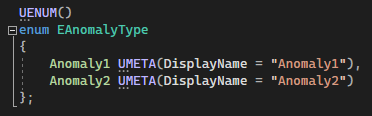
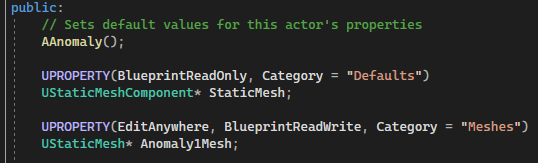
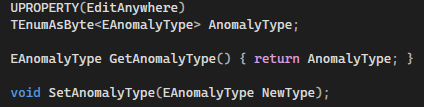
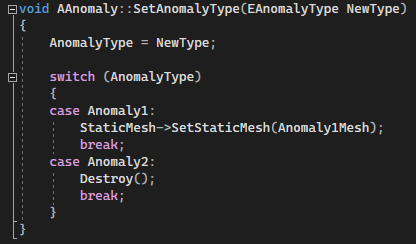
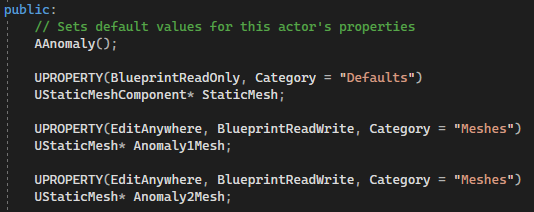
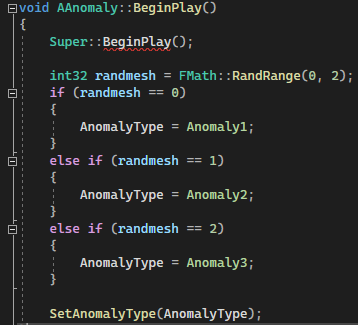
I constructed an enum that would contain all the different types of anomalies.Here, I made an “AnomalyMesh” UProperty that can be assigned a static mesh in the editor.I also made a UProperty for an enum value, this can also be changed within the blueprint for testing.On “BeginPlay”, a random number is generated and then used to decide if the anomaly is set or not. “SetAnomalyType” is called immediately after tooThis function sets the “AnomalyType” to the passed in parameter, then conducts a switch with it that will either set the correct static mesh or destroy the actor.
Door
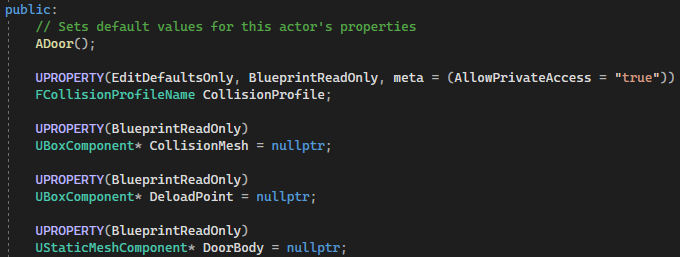
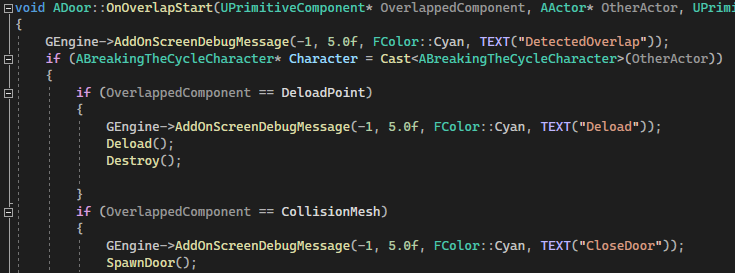
The door consists of 2 box collision components, one to manage spawning the new level and the other to deload the previous.This code sets up the collision components. Both are assigned a collision profile that can be set in the blueprint, and given an overlap function. Also the “CollisionMesh” is set as the root component.This overlap function simply checks which component is being overlapped. Then, the appropriate “BlueprintImplementableEvent” is executed (Deload or SpawnDoor [Spawn new corridor])For this code the number of anomalies photographed is checked to see if the total has been reached.If it has not been reached, the corridor owner of the door is cast to. This is used to spawn a new corridor at the correct position (the end of the last corridor). Also, the parent of the parent corridor is deleted (if it has an owner), so the corridors won’t overlap on later loops.
Areas of development throughout:
Originally, I made several UPropeties that could each be assigned a different static mesh. I removed the ability to directly set the actor’s static mesh so designers wouldn’t get confused and assign their models in the wrong place. However, towards the end of development the idea was changed to specific locations for specific items, so the system was adapted.This shows how a random mesh would be selected for each anomaly originally.
I had also planned to use the event “OnComponentEndOverlap”, checking the exit trajectory of the player out of the collision box. This would close the door behind them if they left at the right angle. However, I changed this to two seperate collision boxes as the system was more time-efficient.
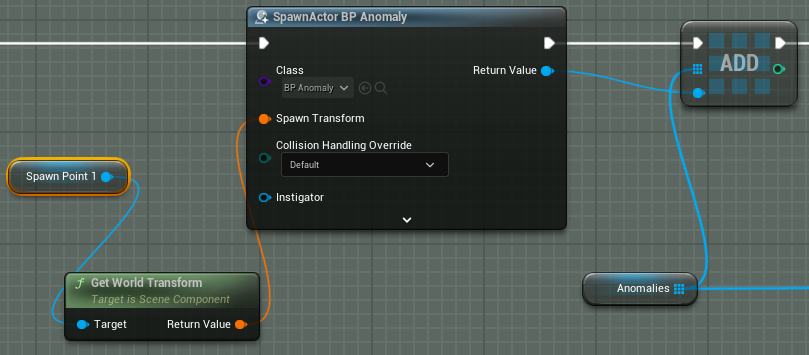
This system originally spawned the door actor and rotated it, it also set the corridor as the door’s parent so it could be deloaded later.Initially, anomalies where spawned off spawn points in the corridor blueprint. However, we later amended this to create actors within the corridor blueprint editor.When the corridor was destroyed, all of the remaining anomalies were destroyed too in a loop. Without this feature, anomalies would overlap each other when the corridor started to loop in on itself, which was an issue we encountered early in development.
Conclusion
I achieved the looping hallway effect and randomly spawning anomalies, however the random appearance of the anomalies had to be changed and the corridor spawning/despawning went through a few developments.