My goal with this code was to create a level system that, when activated, would create a spawner to spawn customers. This spawner would replace absent customers constantly, until the level timer ended, and the difficulty would iterate each time.
Service Bell (Level Starter)
Upon player interaction, the service bell is teleported out of bounds and spawns a “MonsterSpawner”. Then a timer is setup that stops the monster spawner, after it elapses.This updates the timer value every tick, but if the spawner is destroyed, then the level difficulty is increased and the service bell is moved back to its original position.
Monster Spawner
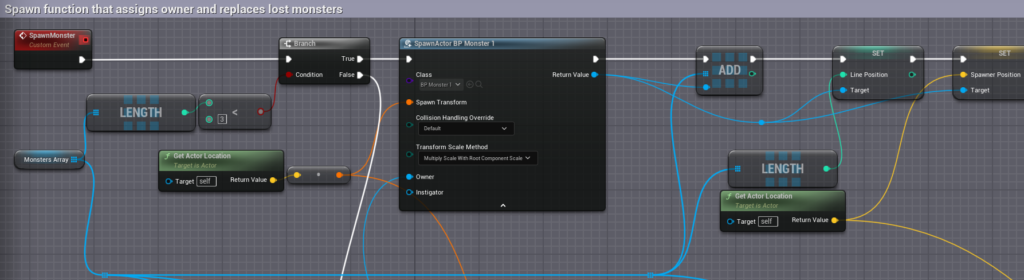
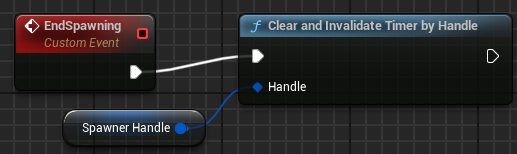
On “BeginPlay”, the difficulty “Level” is used to determine how fast the customers spawn.“SpawnMonster” checks if the length of the “MonsterArray” is less than 3. If it is, then it spawns a monster and adds it to the array, setting the line position (an identifier) and the spawner position for the monster to return to when they leave.If “False”, then a for loop checks if each value of “MonsterArray” is valid. If not, it is removed and a new monster is spawned and added to the array in the same place as the missing monster, this will also break the loop so monster spawning won’t stack up too quickly. “CheckCustomers” is called every time a monster despawns and uses a for loop to check if the array is clear. If so, the spawner is destroyed, and if not the loop is broken and it will be checked again when the next monster despawns.This is called in the service bell and will clear the timer so it won’t loop.
Customer AI
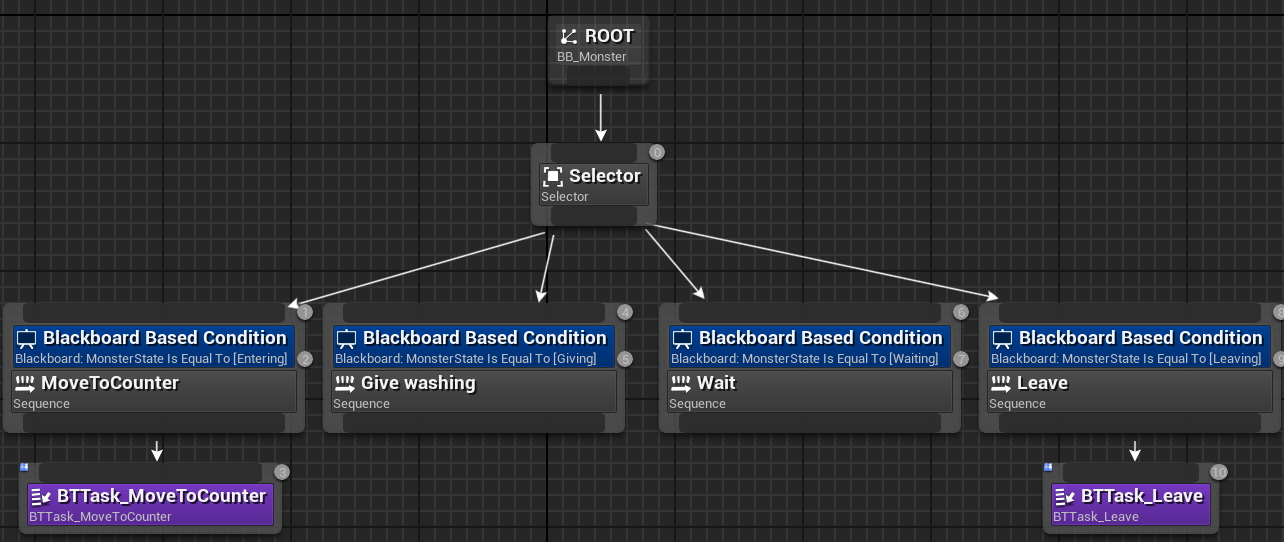
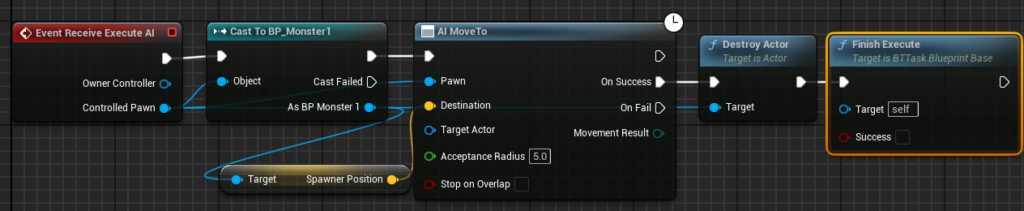
“BTTask_MoveToCounter”“BTTask_Leave”
Customer Blueprint
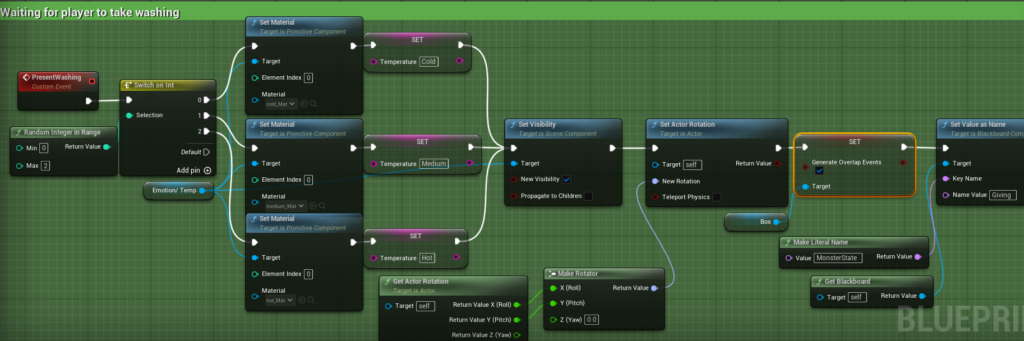
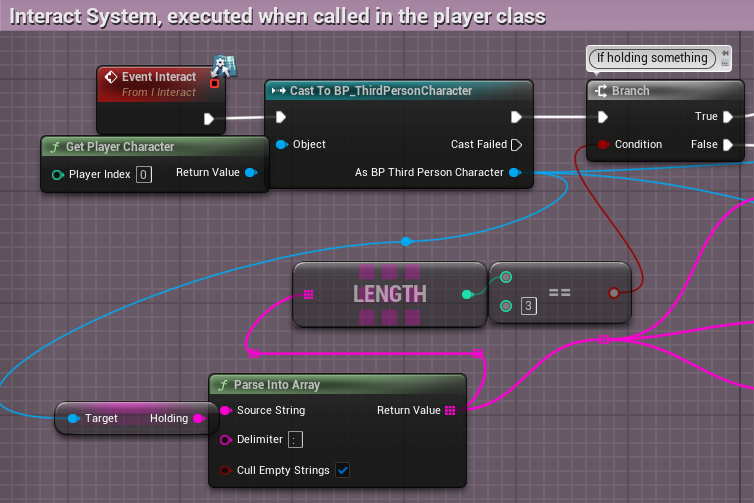
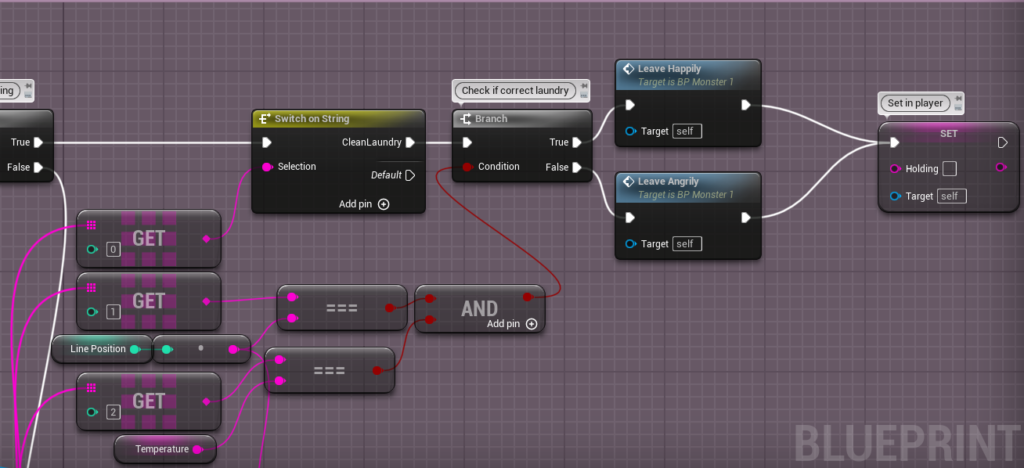
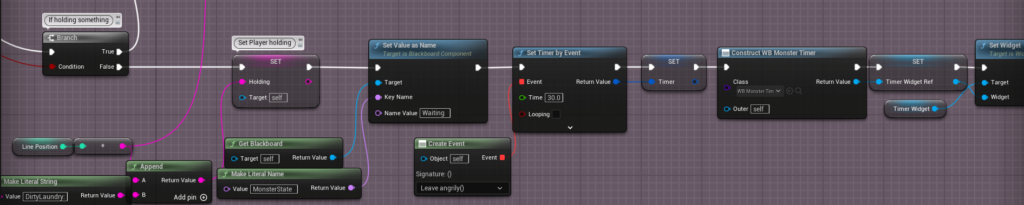
“LeaveHappily” Event will: play a sound, add a happy emoji, increase the player’s money and make the monster leave.“LeaveAngrily” will: play a sound, add a sad emoji, apply damage to customer satisfaction and make the monster leave.“PresentWashing” will randomly set the required temperature of the washing, along with the appropriate icon. It will also rotate the monster, enable overlap events for the collision box so the player can interact and change the Blackboard to “giving” (idle).On “Event Interact”, firstly, the value of holding is split into an array, and the length of the array is then used for a branch.If length is 3, the value of the first array value is checked in a switch, and if it is “CleanLaundry” then the next array values are checked against the unique “LinePosition” and “Temperature” of the Monster instance. From this the according event is executed and the player “Holding” is reset.If length is not 3, the player “Holding” is given the string “DirtyLaundry : (LinePosition)”. Then, the monster blackboard value is changed so it becomes idle, and a timer begins that will execute “LeaveAngrily” if it runs out.
Areas of development throughout:
Originally, I was using an overlapping boolean that would be stored in the player and influenced by overlap events, however I changed this to use interact dispatches for overlapping actors with an interface.
Previously, you could take the washing before the monster reached their standing position, I fixed this by disabling “GenerateOverlapEvents” for all the monsters components, but enabling it on the collision box once they reach their location.
Conclusion
The result was as expected; a service bell can be rang to start the level, which spawns a spawner with an incrementing difficulty that spawns new customers appropriately. These customers have washing heat parameters that must be met, and the correct washing must be returned to the right monster.